
Tag Archives: Tempo Counter

New Feature: Copy Link to This View, or how to share a tempo table

In my post about automatic tempo correction, I asked for help with the tempo thresholds, and I included a link that opened the tempos page with just the Meter, BPM, and Range columns showing. I promised to explain “that little trick in a future post.” This is that post, but the trick has changed since I wrote that.

In August, the only way to get a link like that was to know the parameter names and type them into the address bar, which is what I did. Now I don’t have to. The Dance Tempi page and the Tempo Counter each have a new button that copies a link to exactly what you’re looking at.

The easy way: Copy Link to This View
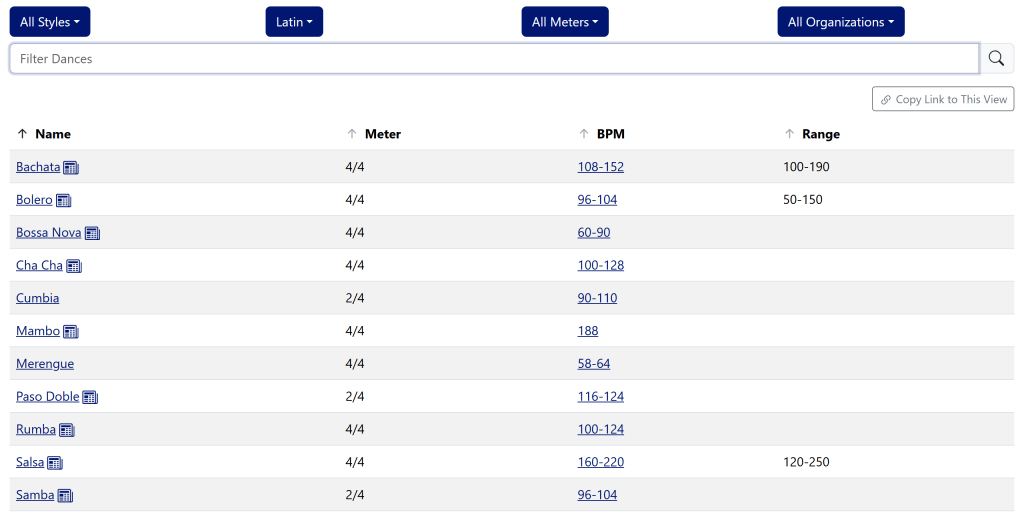
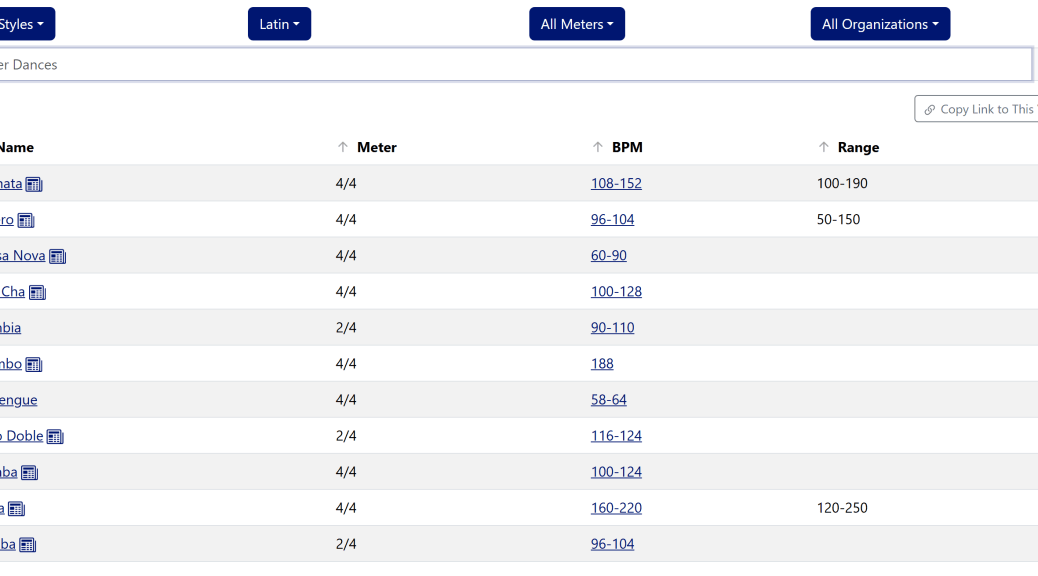
The Dance Tempi page with the Type dropdown set to Latin and the other filters at All. Below the filter box is a Copy Link to This View button, then a table of eleven Latin dances, from Bachata to Samba, with Name, Meter, BPM, and Range columns. Only Bachata, Bolero, and Salsa show a range.
The Dance Tempi page, filtered to the Latin dances with the Range column showing. The Copy Link to This View button sits just above the table.

Set up the Dance Tempi page however you like: pick styles, types, meters, and organizations from the dropdowns, and choose which columns to show. Then click Copy Link to This View, just above the table. The link goes to your clipboard, ready to paste into an email, a text, or a post on your studio’s Facebook page. Whoever opens it sees the same table you did. The image above is this link.

The address bar also updates as you change things, so bookmarking the page does the same job as copying the link. If you leave everything at the default, there’s nothing to add, and the link is just the plain page address.
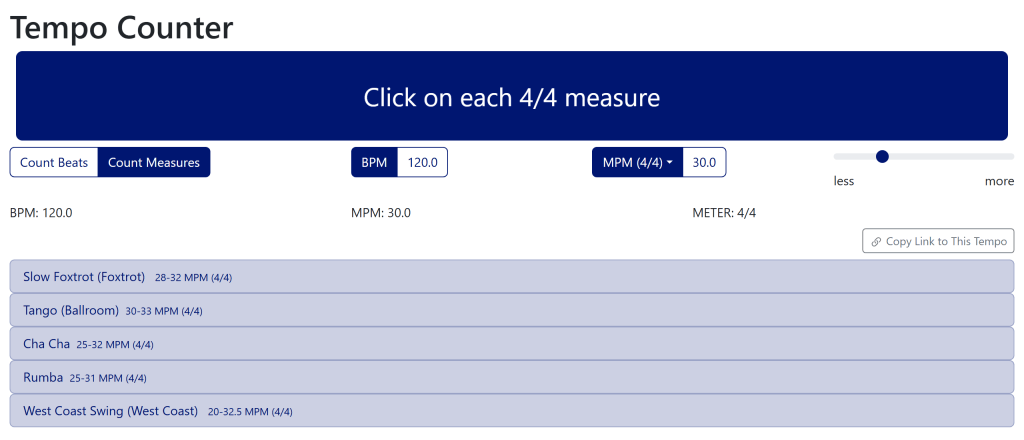
The Tempo Counter set to Count Measures, showing 120.0 BPM and 30.0 MPM in 4/4. A Copy Link to This Tempo button sits above a list of matching dances: Slow Foxtrot, Tango, Cha Cha, Rumba, and West Coast Swing, each with its range in measures per minute followed by (4/4).
The Tempo Counter at 30 measures per minute in 4/4, with the Copy Link to This Tempo button above the list of matching dances.

The Tempo Counter works the same way, with a button labeled Copy Link to This Tempo just above the list of dances. Once you’ve tapped out or typed a tempo, the link captures the tempo, the meter, whether you’re counting beats or measures, and where the strictness slider is set. That’s handy if you’ve worked out the tempo of a song and want to show a partner or a student which dances fit it. The image above is this link.

The same idea is also on the song search pages: search results and the advanced search form now have a Copy Link to This Search button.

Building a link by hand

You don’t need any of this to use the buttons. But if you’re writing a web page or a handout and want to type a link straight into it, both pages take a handful of parameters:

  • The Dance Tempi page takes styles, types, meters, organizations, and columns, which match its four filters and its column chooser.
  • The Tempo Counter takes tempo (always in beats per minute), numerator (the beats per measure), count (beats or measures), and epsilon (where the strictness slider is set).

Every parameter is optional, and anything a page doesn’t recognize is quietly skipped rather than producing an error page. The full lists of values and defaults, with examples, are in the “Building a link by hand” sections of the Dance Tempi and Tempo Counter help pages, which I rewrote for this feature.

For the record, the link from the August post was https://www.music4dance.net/Home/Tempi?columns=meter&columns=bpm&columns=validationRange. The columns parameter lists every column to show, and validationRange is the Range column, which is hidden by default.

Two fixes to the Tempo Counter

Rewriting the Tempo Counter help page meant actually trying everything it describes, and that turned up two bugs:

  • With the strictness slider all the way to the left, toward less, the list was always empty, even when your tempo was squarely inside a dance’s range. The far left now shows exactly the dances whose range includes your tempo.
  • The dances in the list had lost their meter. That matters because in 4/4 the counter also lists the 2/4 dances, and their ranges are in 2/4 measures, which run twice as fast. Without the “(2/4)” after the range, Samba at 48-52 MPM looked like a terrible match for 24 MPM in 4/4, when it’s actually spot on. The meter is back.

What it doesn’t do

This is the incremental version, so there are a couple of gaps. The Filter Dances search box on the Dance Tempi page isn’t part of the link, and neither is the column you sorted by, so a shared table always opens sorted by name. If you run into a view you can’t link to, or a link that doesn’t open what you expected, please let me know.

Step of the Month

The  “Step of the Month” for October is to help out with the Halloween catalog. There are several ways to do this: you can add the Halloween Tag to songs that don’t have it and should, you can remove the Halloween Tag from songs that do have it and shouldn’t, or you can add new Halloween songs (I will also accept lists of songs if that’s easier – in that case, please reach out for details on accepted format).

New Feature: Automatic Tempo Correction by Dance

One of the cool things about maintaining a database of songs cataloged by dance is that I can use that information to correct the most common mistake made by algorithmic tempo matching: the double-time/halftime issue. I’ve done this on an ad hoc basis for years, but now I have everything lined up so the system…

Introducing the music4dance technical blog

When I started the music4dance blog nearly a decade ago, I considered including a technical component by writing about the challenges of building and maintaining the site. A good friend talked me out of doing that, and I still think it’s the right decision. I’m assuming most of the audience for this blog isn’t particularly interested in what I’ve done to build the site. You’re interested in what you can do with the site, learning more about the relationship between music and partner dancing, and how to find music to dance to. If I’m wrong about you, please let me know; if I get more than a few direct responses, I’ll set up a poll and consider a pivot based on the results.

I am disappointed I never got around to spinning up a technical blog. I’ve learned much over the years while building and maintaining this site. And I generally feel the need to share when solving technical problems. Now that I’m not leading a team of engineers, I’ve given up my primary outlet. So, it finally tipped the balance, and I’ve started some technical writing.

I decided to use medium.com to host my technical writing. That removed the barrier to entry of setting up another site and spinning on what technology to use, and I’ve been happy with the platform. The first series of posts is only tangentially music4dance related but is still motivated by this project. I use a simplified version of the tempo counter applet from the website to compare the experience of writing that app on several multi-platform frameworks. In addition, I took the opportunity to write about my experience in helping build the foundation for Microsoft’s version of that solution. So, if you have a technical bent, please take a look – the first post is “Which Multi-platform framework should I use to write my app?” And if you like it, please do the things that help spread the word. With medium, those things are to clap, follow, and share the link with friends.

As always, I’m very interested in your feedback and read every comment and email. So please share any thoughts and ideas about this post or about the site by commenting below or using other feedback mechanisms listed here. In addition, if you enjoy the site or the blog (or both), please consider contributing in whatever way makes sense for you.

We’d like to dance a “real” partner dance as the first dance at our wedding (Part I: We already chose our song)

Wedding season is upon us, and one of the things that come with weddings is receptions with first dances, father/daughter dances, mother/son dances, mother/daughter dances, and any other variation you can think of. I think it’s extra special when those dances are recognizably partner dances like Foxtrot, Rumba, or Swing. Of course, I have a bit of a bias.

If you want to find a dance that fits the song you love, here are some things that can help. In my next post, I’ll cover the other direction – finding a song to fit your dance.

First, consider visiting your local dance studio and asking a professional. The other professional that could help is your wedding DJ; sometimes, they are also dance teachers or at least know a dance teacher to connect you with.

In tandem with going to a professional, some features of music4dance.net can help. The first is to try searching for your song – you can type the title into the search box in the menu bar or on the Song Library page. If it’s a particularly popular song, you might also include the artist to see if you can get to the specific version of the song. But oftentimes, variations on a song by different artists still maintain enough of the same characteristics to be danced to the same dance. So be creative in your search and see what you come up with.

For example, try typing “Fly me to the moon” into the search bar – including the quotes to get songs with that full title rather than all the songs with those keywords. And we’re probably most interested in the Frank Sinatra version, so scroll down to that or add Sinatra (outside of the quotes) to the search.

You can already see which dances folks in the music4dance community have voted on to dance to this song. There is quite a spectrum. If you click on the song title, you will get more details. Among other things that will show you that Slow Foxtrot is the most-voted dance for this song, some folks have voted for East Coast Swing and Jive but have noted that it’s slow for those dances. That’s not necessarily bad; you could speed up the song a bit (modern technology is fantastic) and get it to something still slow for ECS but not crazy slow – which might be just the right tempo for a first dance.

But what if you can’t find the song in the music4dance catalog? There is another tool that can provide some help. Try looking at the tempo counter tool (and its help page). Counting out the song’s tempo in this tool will show you which dances can technically be danced to the song. The tempo counter result doesn’t tell you anything about if the style of the song fits the dance. But this is also pretty interesting because if you’re going to go all the way and choreograph a first dance, sometimes doing something that’s a little out of a stylistic mismatch can be pretty effective. Choreographing a dance to a song that doesn’t quite fit is frequently done with showcase dances like those you see on Dancing with the Stars and can be very effective in creating a memorable wedding dance.

I hope this helped and that you really enjoy your first dance, not to mention the rest of your wedding and reception.

If you used the second method I mentioned or the help of a professional to find a song/dance combination for any of your wedding dances, please consider becoming part of the music4dance community and adding your wedding songs to the catalog.

As always, I’m very interested in your feedback, so please share any thoughts and ideas about this post or the site by commenting below or using other feedback mechanisms listed here. In addition, if you enjoy the site or the blog (or both), please consider contributing in whatever way makes sense for you.

P.S. This is a reboot of a very early blog post I wrote in 2015. Since the site has been through a couple of significant over-hauls since I wrote the first pair of wedding music posts, I think it’s worthwhile revisiting them. I may end up doing a more systematic rewrite. In that case, I’ll try to figure out a better way to index the posts to remove duplicates and/or make the fresher content pop up ahead of the old content.

Playing with Dance Tempos

I just rewrote the Tempo tool for the music4dance site as part of the current effort to update the site.  In the process I went back and revisited the reasons for writing the tool in the first place. 

The main reason for this tool is to have a single place to do a bit of slicing and dicing of the relationship between the tempo of different partner dances.  It allows one to filter on the dances that you’re interested in (all Swing dances, or American Style dances) and sort by tempo to see the relationships.    This could, for instance, help find dances that one might mash up into an exhibition routine.

Another reason is just because I could.  The Tempo tool is really just a thin layer on top of the data that I use to drive the Counter tool and many other parts of the site.  I almost didn’t rewrite the tool because since I originally wrote it I added slightly less interactive but possibly more directly useful pages that lay out the different competition dances and their tempos in what I hope is an easily digestible way.

This is part of a larger rewrite of the site that I’ve been working on to get the code to a place where I can comfortably start adding more requested features.  The Counter and Tempo tools are a couple of the most isolated pages, but I’ll start digging into more core functionality soon.

As always, please send me feedback if you have ideas about the site, dancing, music, or how any or all of those subjects relate. And please consider supporting the music4dance project by sharing with your friends or any of the other ways listed here.

Quick Tip:  Many pages (like the ones mentioned above) have documentation pages that are easily accessible from the page.  Just go to the “Info” menu and choose “Help”, this will generally take you to a documentation page specifically about the feature that you were using.

Tempo Counter (Revisited)

As I’ve mentioned before, one of the things that I find helpful is to have access to a tempo counter that allows me to tap a beat and both measure the tempo and show me the dance styles that fall into that range.  I wrote a version of that for Windows Phone way back in the day.  I’ve had a web version up on the musci4dance site almost since it’s inception.  It seemed like time to do a quick revisit and freshen it up a bit.  I decided to use this as a quick test of the newer technologies I’m starting to incorporate in the site.

So check it out and let me know what you think (here’s some updated documentation as well).  If you were a regular user of the old tempo counter, please let me know if there is anything that you depended on that the new one doesn’t do as well.  And of course, I’m happy to hear about what you think has improved as well as any features neither of them has that you would like to see.

Stay Safe. Stay Sane!

Documentation for the Tempo Counter and Tempi (tempos) tools

One of the things that was difficult for me as a beginning ballroom dancer (even though I had decent amount of musical background) was to judge the tempo of a song at the level required to know if the song could be danced to in a particular style.  I talked about the tool I created to help me with this in one of my early posts (Question 2: What dance styles can I dance to my favorite songs?)  Today I’ve added some more complete documentation for the tempo counter tool.

Another thing that always bugs me is the relationship between the tempi of different dance styles.  I created another tool to help me visualized the relationships between dances and also posted some detailed documentation for that tool today.