
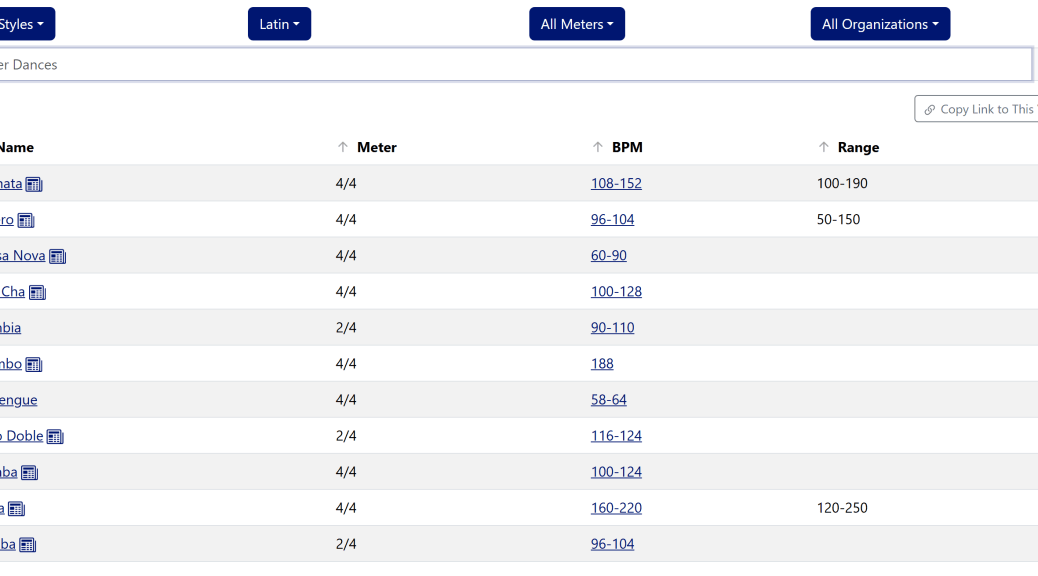
In my post about automatic tempo correction, I asked for help with the tempo thresholds, and I included a link that opened the tempos page with just the Meter, BPM, and Range columns showing. I promised to explain “that little trick in a future post.” This is that post, but the trick has changed since I wrote that.
In August, the only way to get a link like that was to know the parameter names and type them into the address bar, which is what I did. Now I don’t have to. The Dance Tempi page and the Tempo Counter each have a new button that copies a link to exactly what you’re looking at.
The easy way: Copy Link to This View
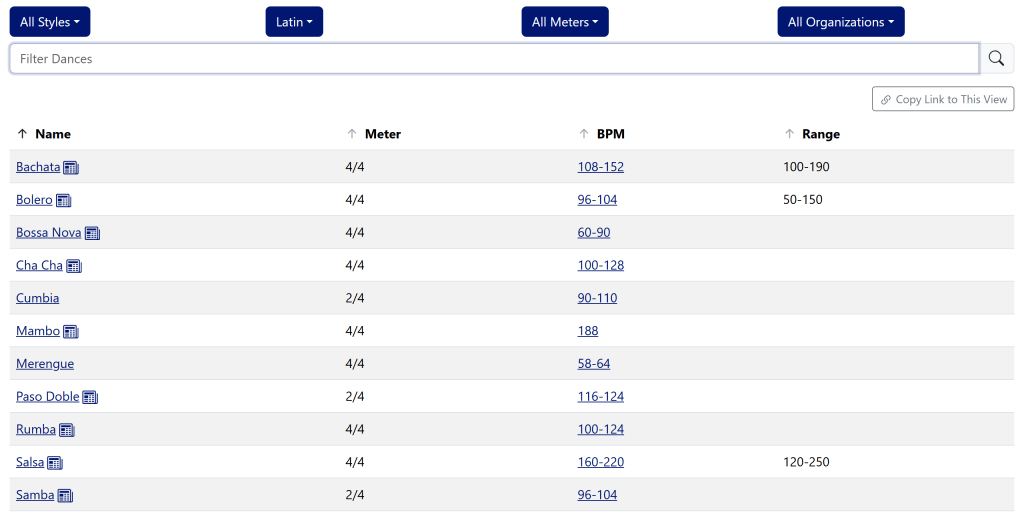
Set up the Dance Tempi page however you like: pick styles, types, meters, and organizations from the dropdowns, and choose which columns to show. Then click Copy Link to This View, just above the table. The link goes to your clipboard, ready to paste into an email, a text, or a post on your studio’s Facebook page. Whoever opens it sees the same table you did. The image above is this link.
The address bar also updates as you change things, so bookmarking the page does the same job as copying the link. If you leave everything at the default, there’s nothing to add, and the link is just the plain page address.
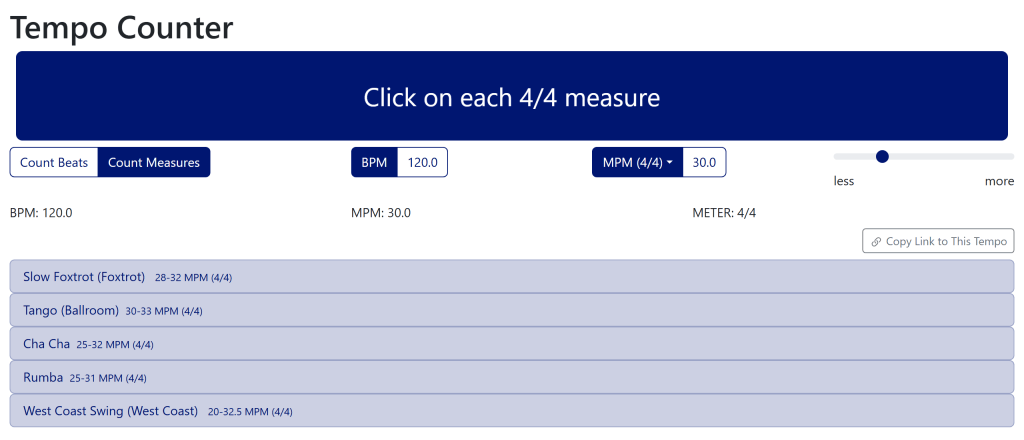
The Tempo Counter works the same way, with a button labeled Copy Link to This Tempo just above the list of dances. Once you’ve tapped out or typed a tempo, the link captures the tempo, the meter, whether you’re counting beats or measures, and where the strictness slider is set. That’s handy if you’ve worked out the tempo of a song and want to show a partner or a student which dances fit it. The image above is this link.
The same idea is also on the song search pages: search results and the advanced search form now have a Copy Link to This Search button.
Building a link by hand
You don’t need any of this to use the buttons. But if you’re writing a web page or a handout and want to type a link straight into it, both pages take a handful of parameters:
- The Dance Tempi page takes styles, types, meters, organizations, and columns, which match its four filters and its column chooser.
- The Tempo Counter takes tempo (always in beats per minute), numerator (the beats per measure), count (beats or measures), and epsilon (where the strictness slider is set).
Every parameter is optional, and anything a page doesn’t recognize is quietly skipped rather than producing an error page. The full lists of values and defaults, with examples, are in the “Building a link by hand” sections of the Dance Tempi and Tempo Counter help pages, which I rewrote for this feature.
For the record, the link from the August post was https://www.music4dance.net/Home/Tempi?columns=meter&columns=bpm&columns=validationRange. The columns parameter lists every column to show, and validationRange is the Range column, which is hidden by default.
Two fixes to the Tempo Counter
Rewriting the Tempo Counter help page meant actually trying everything it describes, and that turned up two bugs:
- With the strictness slider all the way to the left, toward less, the list was always empty, even when your tempo was squarely inside a dance’s range. The far left now shows exactly the dances whose range includes your tempo.
- The dances in the list had lost their meter. That matters because in 4/4 the counter also lists the 2/4 dances, and their ranges are in 2/4 measures, which run twice as fast. Without the “(2/4)” after the range, Samba at 48-52 MPM looked like a terrible match for 24 MPM in 4/4, when it’s actually spot on. The meter is back.
What it doesn’t do
This is the incremental version, so there are a couple of gaps. The Filter Dances search box on the Dance Tempi page isn’t part of the link, and neither is the column you sorted by, so a shared table always opens sorted by name. If you run into a view you can’t link to, or a link that doesn’t open what you expected, please let me know.
Step of the Month
The “Step of the Month” for October is to help out with the Halloween catalog. There are several ways to do this: you can add the Halloween Tag to songs that don’t have it and should, you can remove the Halloween Tag from songs that do have it and shouldn’t, or you can add new Halloween songs (I will also accept lists of songs if that’s easier – in that case, please reach out for details on accepted format).
New Feature: Automatic Tempo Correction by Dance
One of the cool things about maintaining a database of songs cataloged by dance is that I can use that information to correct the most common mistake made by algorithmic tempo matching: the double-time/halftime issue. I’ve done this on an ad hoc basis for years, but now I have everything lined up so the system…


