
Dance tags are the heart of the music4dance database. They are the glue that holds dance styles and songs together. These tags are crowd-sourced from our users, our friends’ catalogs, and from public sources. The more that our members vote on dances, the more diverse our catalog will become.
There are a number of places where you can vote on whether you would dance a specific style of dance to a song. These are all marked by a voting control: A number with up and down arrows, like so:

Once you’ve signed in to music4dance.net, you’ll be able to vote by clicking on the triangles above or below the number, and your vote will be indicated by the arrow being darker:
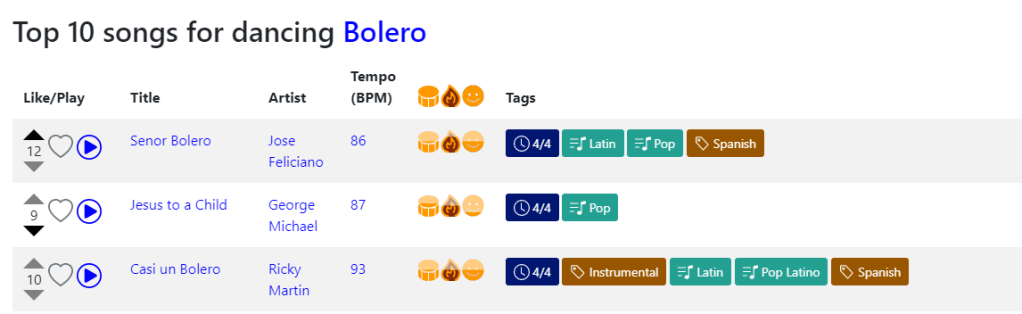
In the above picture of the Bolero page, the signed-in user has voted for dancing Bolero to “Senor Bolero” against dancing Bolero to “Jesus to a Child” and has not voted on “Casi un Bolero.” Hovering over each section of the control will show tooltips with additional helpful information.
Where can I vote?
Below, we’ve enumerated many of the places where the vote control is available (as well as the one place where you can add new dance styles to a song). But the intention of the site design is that when you’re browsing the catalog, you can see a song and vote on it if it’s something you would dance that dance to, or down-vote it if you feel that it’s not a song that would work for that dance style.
Also note that wherever you see the voting symbols, there should be a play button or control nearby that will let you listen to a sample of the song (something that’s pretty important when deciding if you’d dance a dance to that particular version of the song – even if it’s a song that you know well, you might be looking at a different version).
Whenever you view a list of songs filtered by a single dance style, you’ll see a list like the one above that includes a voting control at the beginning of each song description:
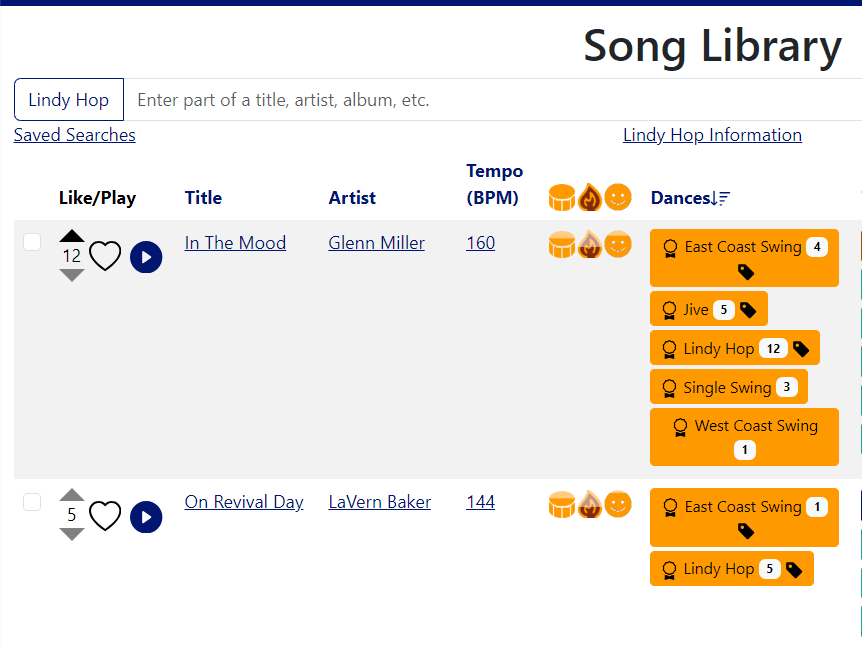
Go to the Song Library from the Music menu and click on All Dances – this will let you quickly filter on a single dance style and show you the voting buttons.
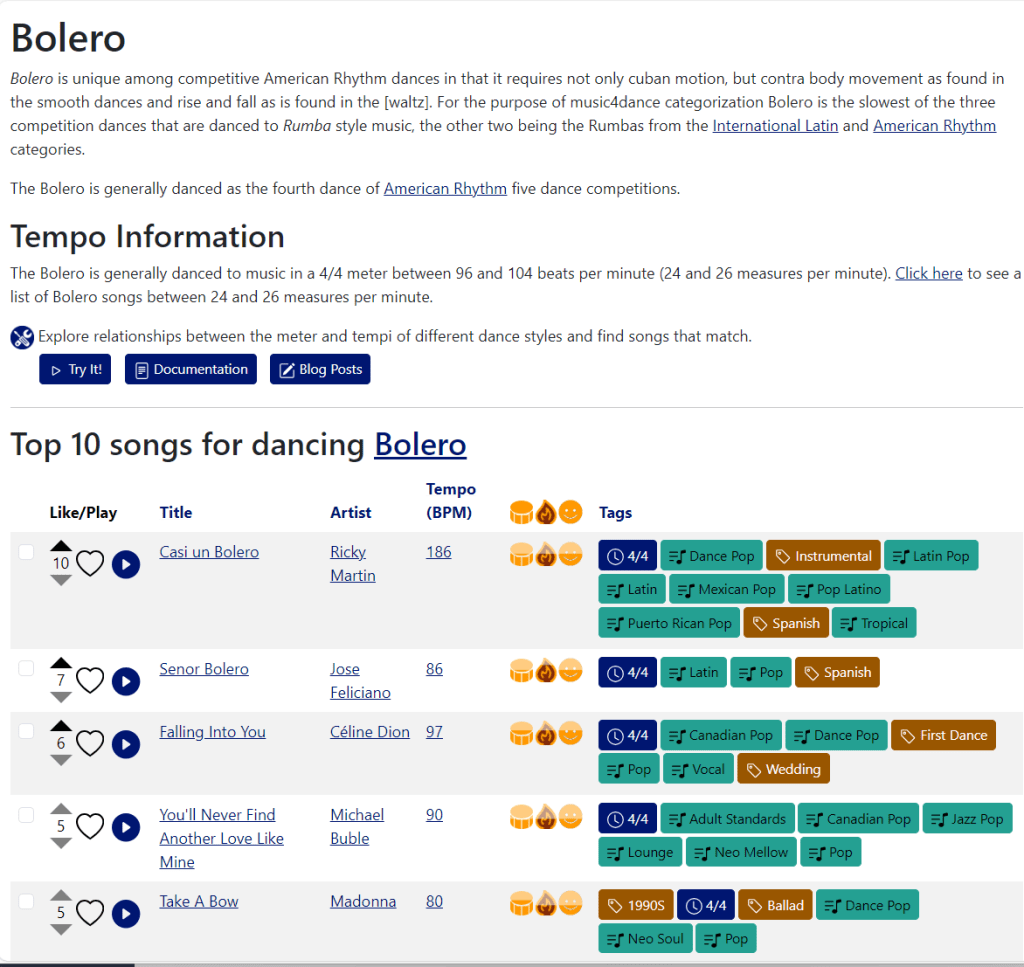
Go to the Dances page on the Music menu and choose a dance style. This will take you to a dance details page for that dance, which will include a Top Ten list, showing the voting controls for each song in the list.
Any time you do an Advanced Search and filter on a single dance, you’ll see a dance list similar to the previous examples.
Anywhere you see a dance tag already specified, including the song library and results of advanced search, you’ll see a list of dance tags for each song representing the number of cumulative votes for a dance.
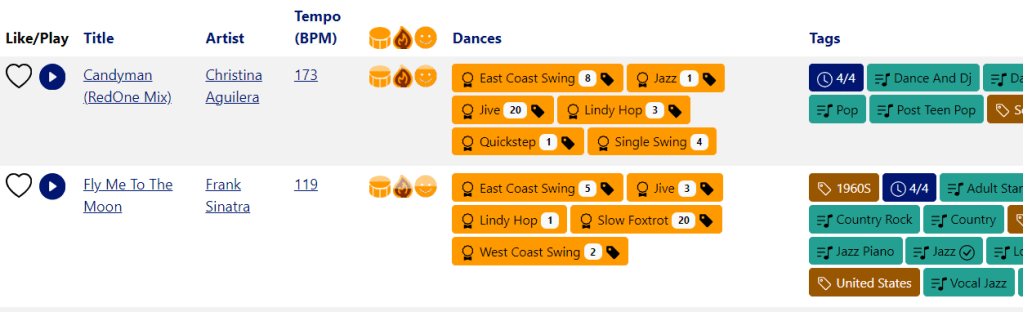
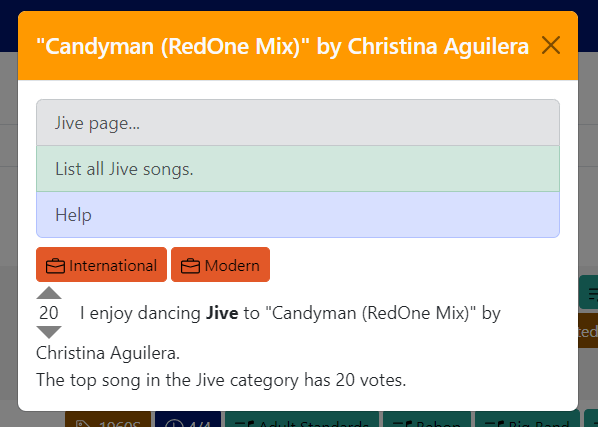
Clicking on a dance tag (such as the Jive tag on Candyman in the example above) will pop up a modal including details about the dance as related to this song, including the voting control:
Finally, on the song details page, which you get to by clicking on the song title wherever you see on (including any of the examples above), you can not only vote on existing dance styles, you can be the first person to vote for a different dance style on a song.
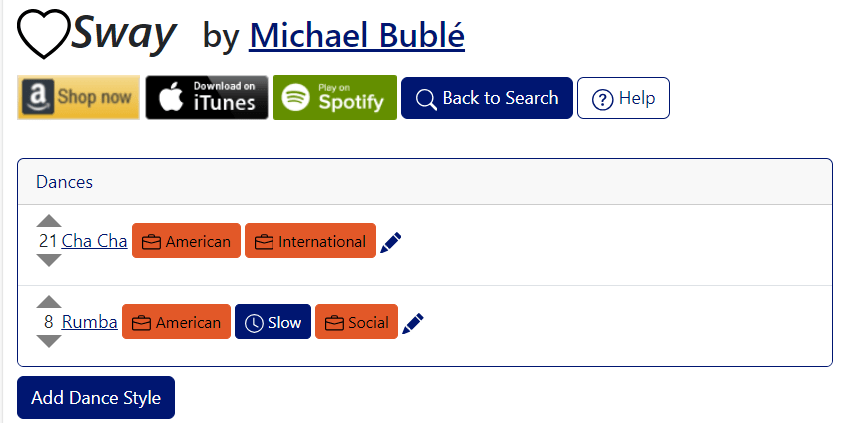
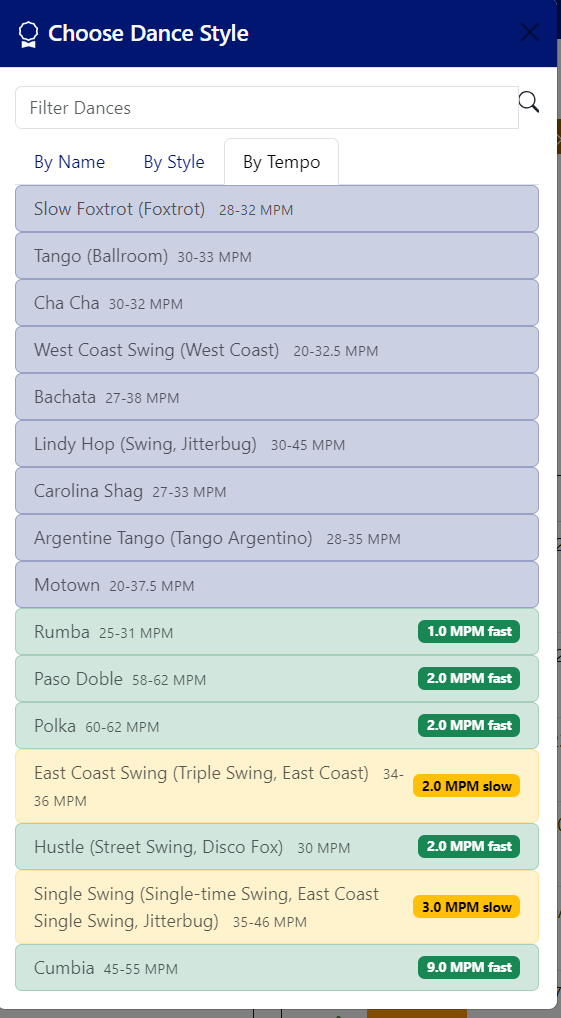
Clicking the “Add Dance Style” button will show you a modal where you can choose any dance style. If the dance already has a tempo and meter assigned, this modal defaults to the tempo tab, which will sort and filter the dances by the tempos that we’ve assigned. But you can use the name or style tabs to choose any dance, as the tempos we’ve chosen are only rough guidelines.
 music4dance