
You’ve spent some time setting up a sophisticated search narrowing down music to songs that can be danced to both East Coast Swing and Cha Cha and that are not categorized as Latin Music. While that isn’t particularly hard to do using the Advanced Search page, if you want to search for that particular set of attributes, it would be nice to do that more directly.
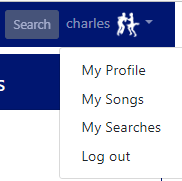
If you’ve created an account, you can go to your account menu at the top right of the page and choose My Searches.
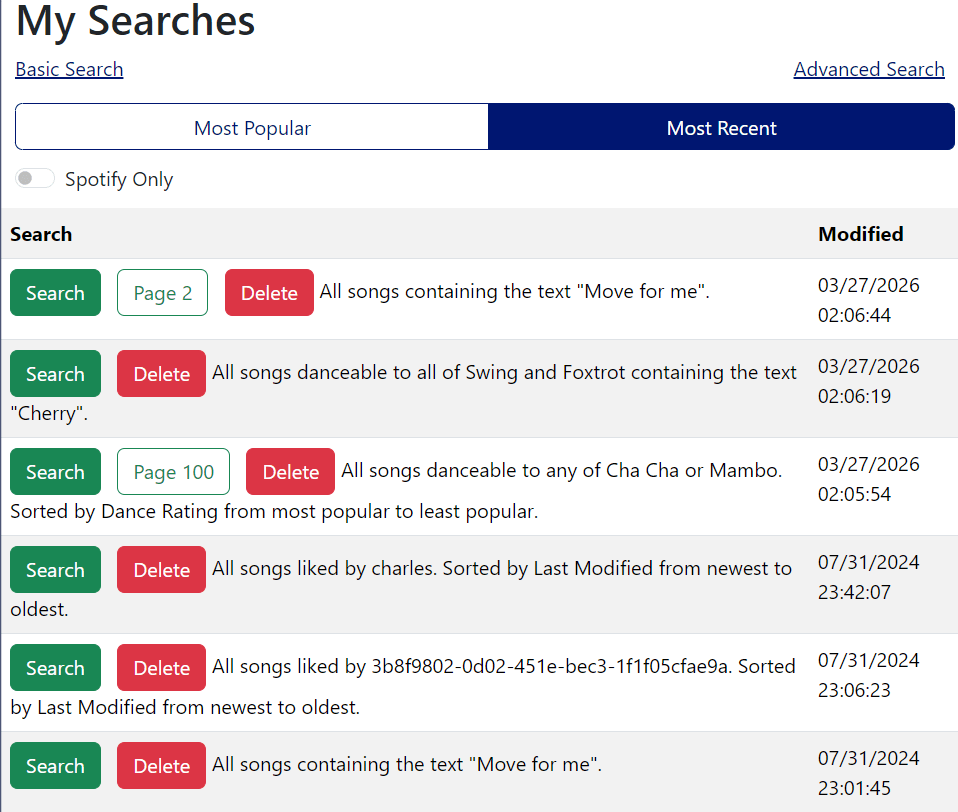
This will take you to the saved search page, which will show all of your recent searches, either by most recent or most frequent.
Features:
- The list is sortable by “Most Popular” or “Most Recent” – most popular is ranked by the number of times you’ve run this particular search
- The green “Search” button will re-run the search starting at the first page
- If there is a green outlined button with a page number, that indicates the last page you viewed for that search and will return you to that page
- Delete – deletes that search from your list
- If you have created a Spotify playlist, there will be a small Spotify icon to the right of the buttons. Clicking on that will take you to the Spotify playlist (assuming you haven’t deleted it, we don’t check to see if it’s still there)
- Turning the Spotify Only toggle on will show only the searches for which you’ve created a Spotify playlist.
 music4dance