
We support Spotify Playlists in three different ways.
music4Dance Generated Playlists
First, there are a number of auto-generated playlists available as embedded controls on various pages, including Dance, Holiday, Halloween, and Broadway pages. You can also go directly to the music4dance profile on Spotify to find these playlists there. If you do either of those, please take the time to “follow” music4dance on Spotify; this will help others find us.
Create a Playlist
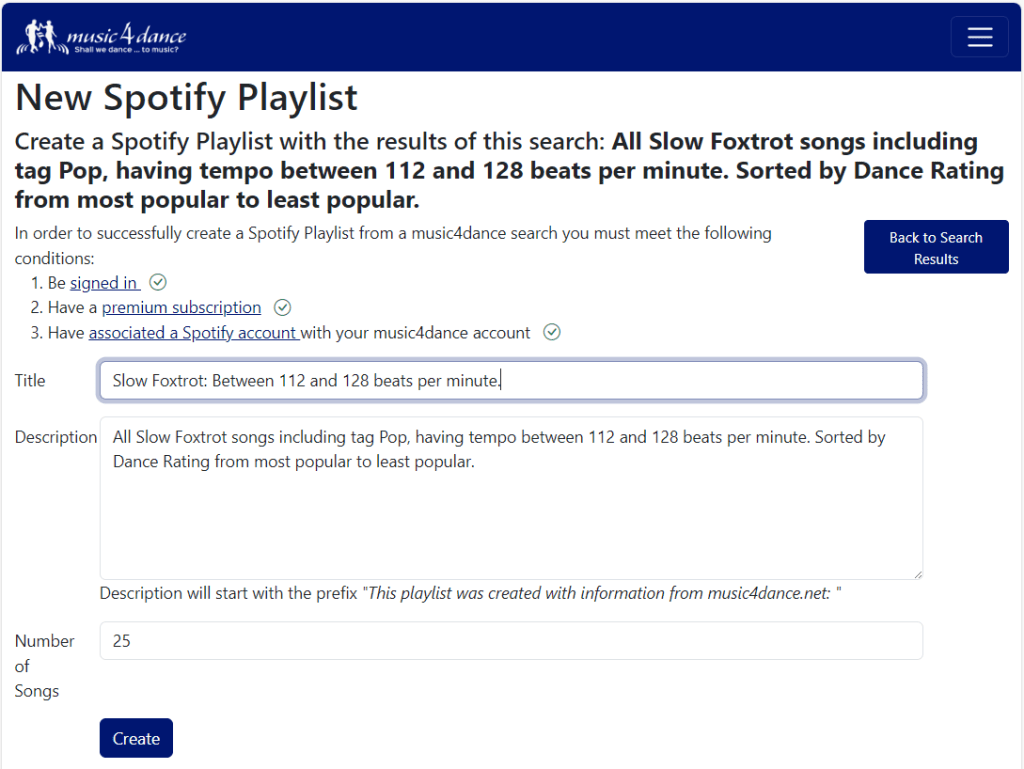
The other way is to create your own playlists based on music4dance searches. Any time you do an Advanced Search or Simple Search, you will now see a “Create Spotify Playlist” button at the bottom of the results. Clicking on that button will take you to a New Spotify Playlist page that should look something like this:
Prerequisites
As the page notes, you must be a premium user signed in with an account that is associated with your Spotify account to use this feature. If you already have a music4dance account but haven’t associated your Spotify account, be sure to check out the “Adding an external account” section of the account management help.
On this page, you can change the title and description of the playlist and the number of songs to add to the playlist from the search.
Once you’ve confirmed that this is a playlist that you would like, just click Create. This step may take a minute or two as we communicate with Spotify to create your playlist. Once this is done, you should see a page like this:
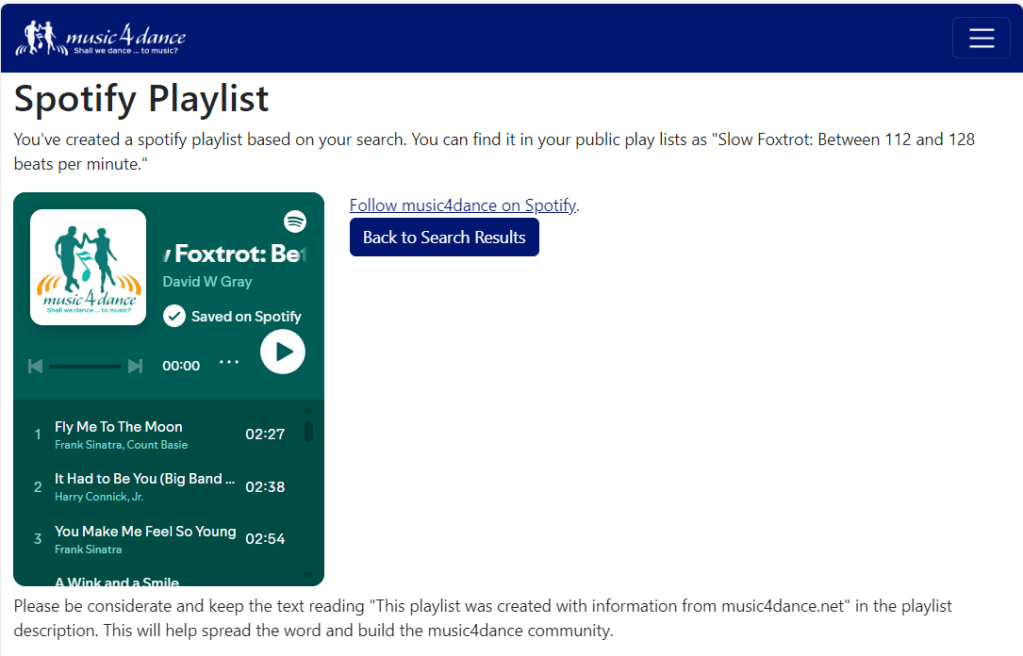
Clicking on the play button will immediately play the playlist. You can also click the Spotify logo in the upper-right corner to open the playlist in the Spotify player.
Please be kind and leave the notice that this playlist was created with information from music4dance.net in the description of the playlist. This will help others find the site and expand the community.
Add to your Playlists
The final way that we’re currently supporting Spotify playlists is by adding an “add to playlist” button anywhere we list a song. The same prerequisites for connecting to Spotify apply as for creating new playlists.
If you click on the “add to playlist” button and haven’t met the prerequisites, we’ll walk you through them in a way similar to what we do for creating a new playlist.

On any search results page, click on the play button to reveal the Add to playlist button.

On song details pages, you’ll see the “add to playlist” button near the “Play on Spotify” button.
Once you’re all set up and signed in, when you click on the “Add to Playlist” button, you’ll see a drop-down containing all your editable Spotify Playlists. Clicking a playlist adds the song to the end of the Playlist.
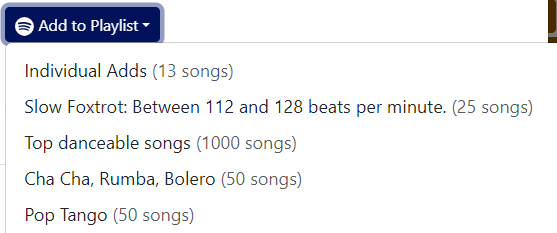
If you don’t see the playlist you’re looking for, scroll to the bottom and click the refresh button.
 music4dance