
The tag cloud for the entire music4dance database can be found by clicking on “Tags” item in the Music menu.
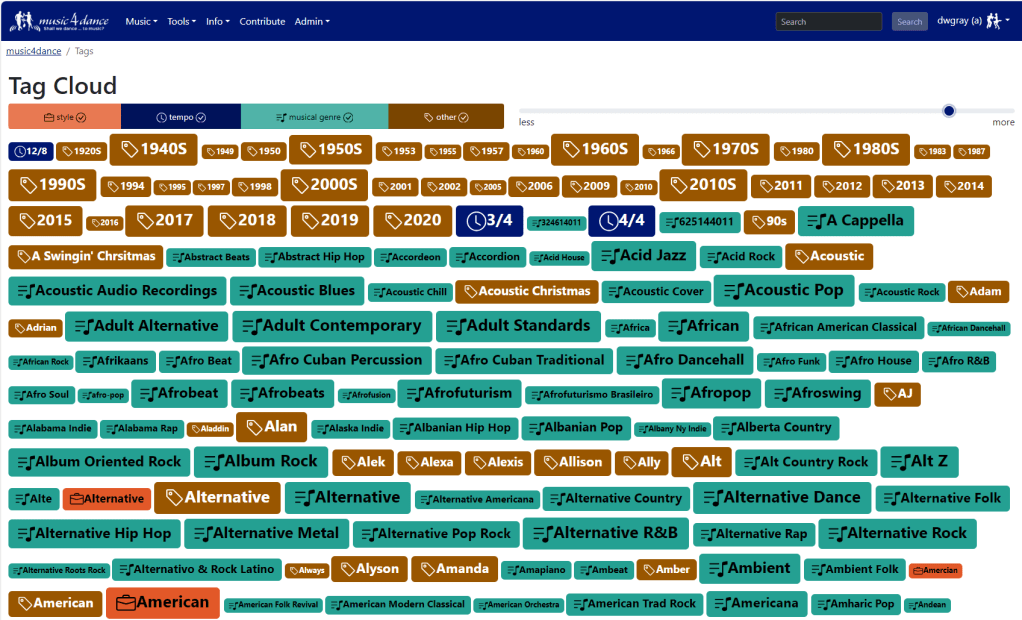
By default, all tags are shown of any type with a certain threshold of songs tagged. To change which types of tags are shown, click on the name of the tag type at the top left. To change the threshold move the position on the range control in the upper right.
Start a search based on a tag by clicking on the tag, you will have the option to list all the songs that are tagged with that tag (inclusion) or list all the songs that have not been tagged with that tag (exclusion). From there, you are taken to the song list, where you can further refine your search.
Tag clouds are also shown on each of the dance style pages, which include only tags used on songs that are also categorized as that dance style.
The Tag Definitions page describes each type of tag, and the Tag Filtering page provides a complete description of how to use tags to explore the music4dance catalog.
Are you interested in adding your own tags? All you have to do is create an account and start tagging.
 music4dance
One thought on “Tag Cloud”