
The tag editor adds a new dimension to the music4dance song database by enabling customization. You can tag songs and the relationships between songs and dance styles based on your own experience and taste, and then use the tag filtering tools to create song lists for anything that you want. In addition, just the act of tagging a song adds it to your master list of songs.
We suggest that you spend some time filtering on the existing tags in the database to familiarize yourself with the difference between Dance Style Tags, Song Tags, and Dance-Specific Tags as well as reading the tag definition documentation.
The Basics
Once you have registered and logged in to the music4dance website, the song details page has some additional features.
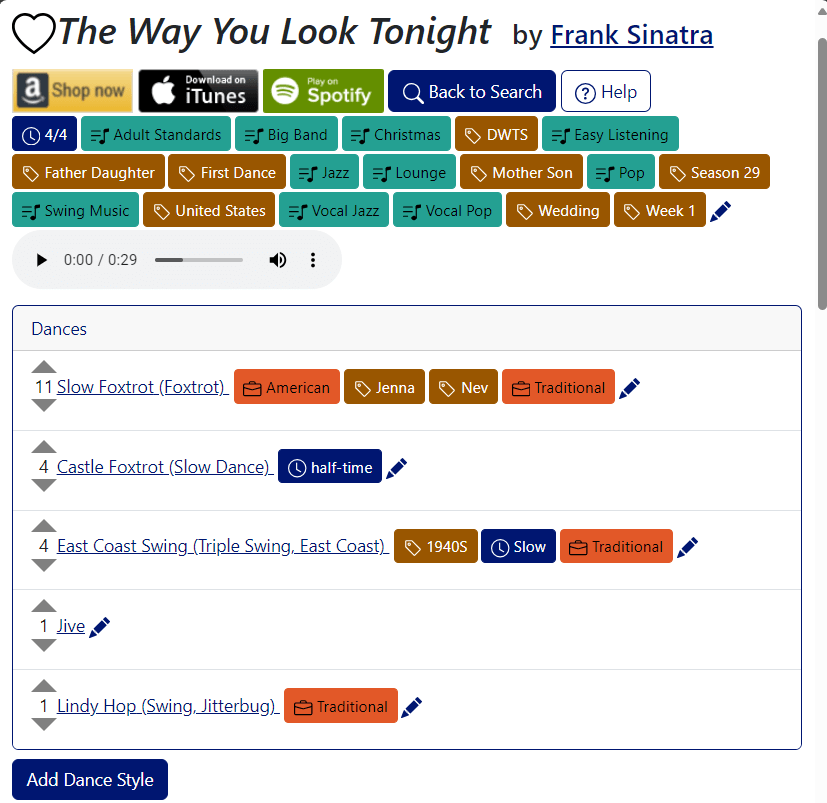
The main thing to notice is that you should see pencil (edit) icons next to each of the lists of tags. Clicking on any of these buttons will put the full page into edit mode.
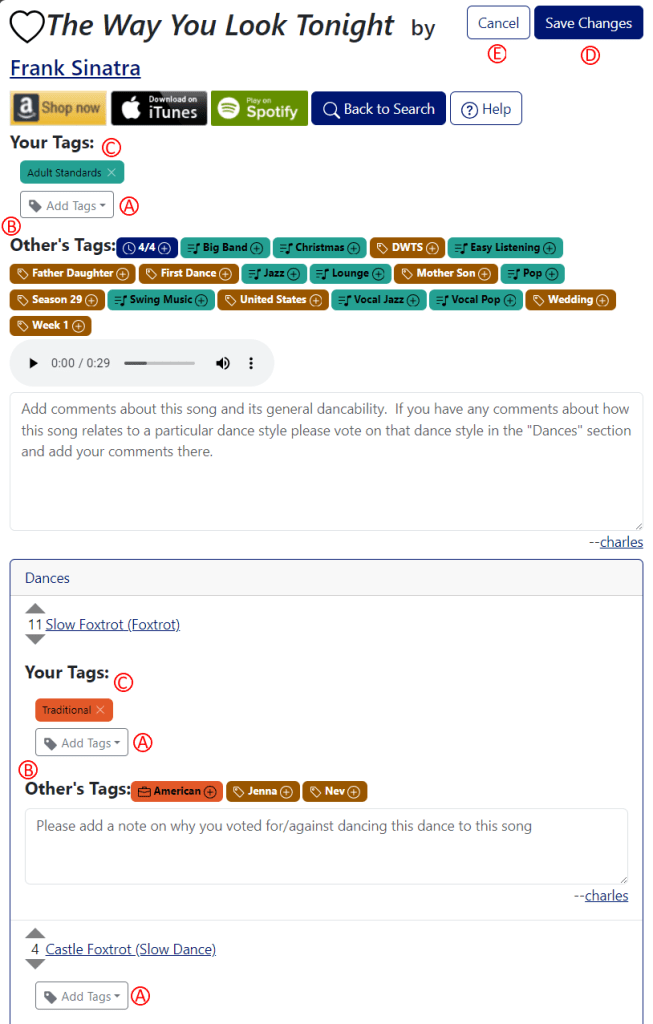
In edit mode, you’ll see “Add Tags” (A) drop-down buttons above the lists of tags, and each of the tag lists will be labeled as “Others’ Tags” (B). If you’ve already tagged the song or one of the dances, you’ll also see “Your Tags” (C) sections above the “Others’ Tags” sections.
The easiest way to add a tag is to click on a tag that someone else has added in the “Others’ Tags” section, and that will add the tag to your section.
If no one has added the tag you want, just click on the “Add Tags” dropdown. Start typing the tag name and you’ll see a list of matching tags. If you see the tag you want to add, just click it and it will be added. If the tag you want to use has never been created, you’ll see it at the top of the list with a + button next to it. Clicking on that will create the tag globally as well as add it to the tag section for the song or dance.
Clicking on the “x” next to one of your tags will remove it as your tag. If you are the only one who has ever added that tag to the song or dance, it will be removed from the tag list.
Don’t forget to click “Save Changes” (D) when you’re done tagging the song. If you decide you don’t want to keep the changes you’ve made, click “Cancel” (E) or navigate away from the page.
What can I do now that I’ve tagged some song?
First, you can do everything that you’ve already been able to do with tags that others have added – this is documented on the Tag Cloud, Tag Filtering, and Song List pages. Since tagging also includes adding and voting on dance styles for songs, your additions will show up in the Dance Styles pages and will be reflected when you filter by dance style on the Song List pages.
Even better, you can start with a list of songs that you’ve tagged from the account settings page and use all of the tag and dance style filtering to build your own lists.
 music4dance
16 thoughts on “Tag Editing”